
The internal host inventory can be exported from within the Inventory tab.
- Load the target project
- Select Inventory
- Select the Export Host List (CSV) button
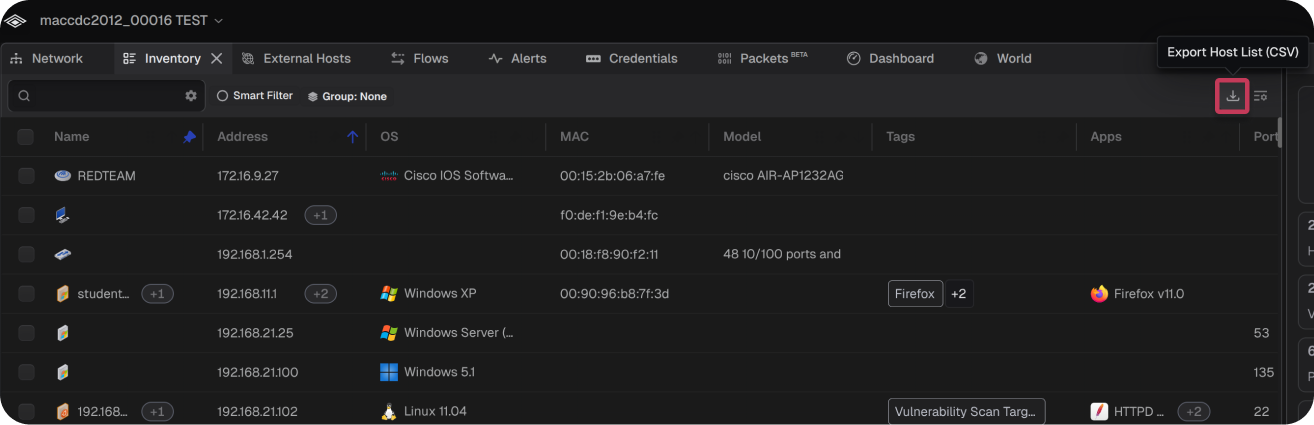
Note: The exported CSV is saved with the naming convention Teleseer Export - <Project Name> - Complete Inventory.Export All Hosts in Project
The Inventory and External Hosts tables can be exported together as a single CSV file.
- Load the target project
- Select the project dropdown
- Select the Host Inventory (CSV) button
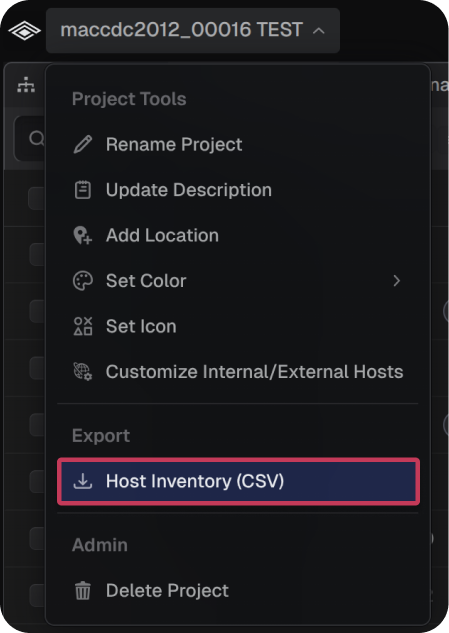
Note: The exported CSV is saved with the naming convention Teleseer Export - <Project Name> - Network Inventory.