
The Network topology can be filtered to display only target subnet(s).
- Open the target project
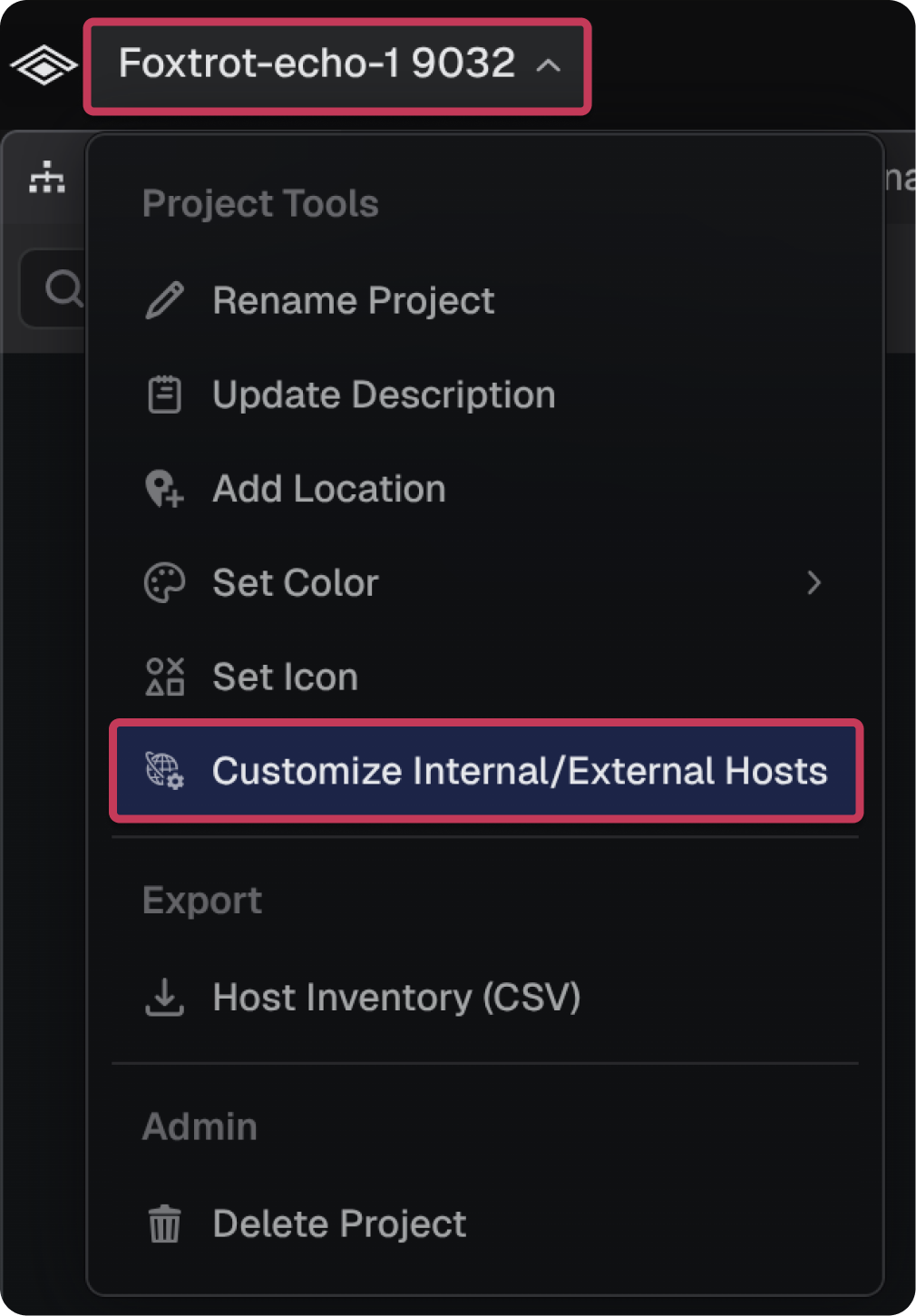
- Select the project name dropdown in the top-left
- Select Customize Internal/External Hosts
- Enter the target CIDR Netmask
- Select Update
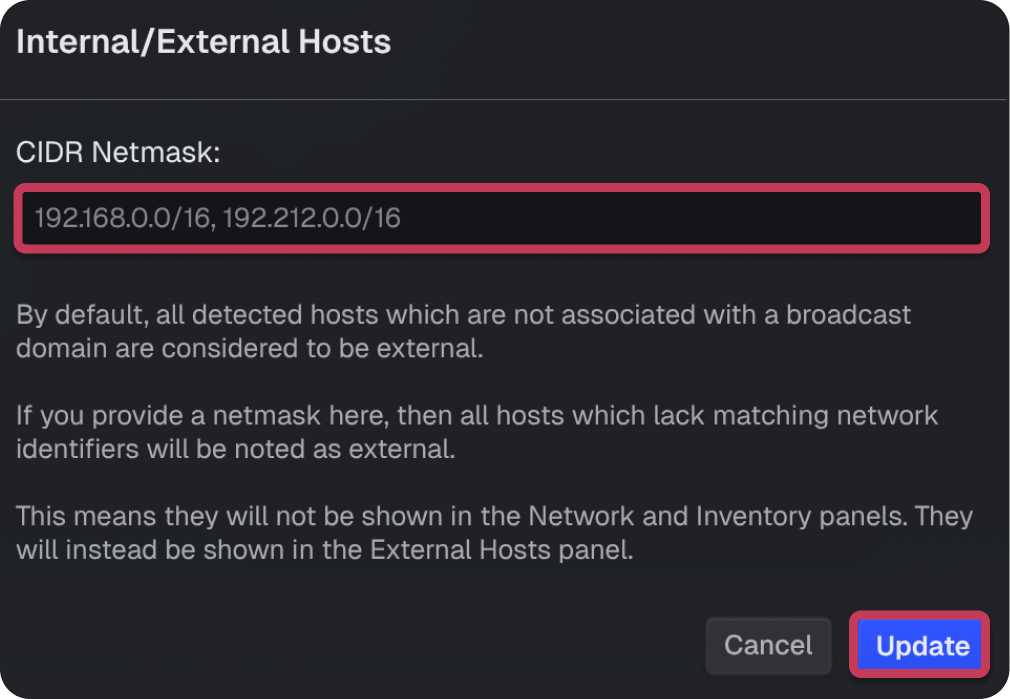
Note: The Customize Internal/External Hosts setting defines which hosts are classified as internal versus external. Hosts matching the specified CIDR range are listed in the Inventory tab while hosts outside it appear in the External Hosts tab.
