How to search for hosts

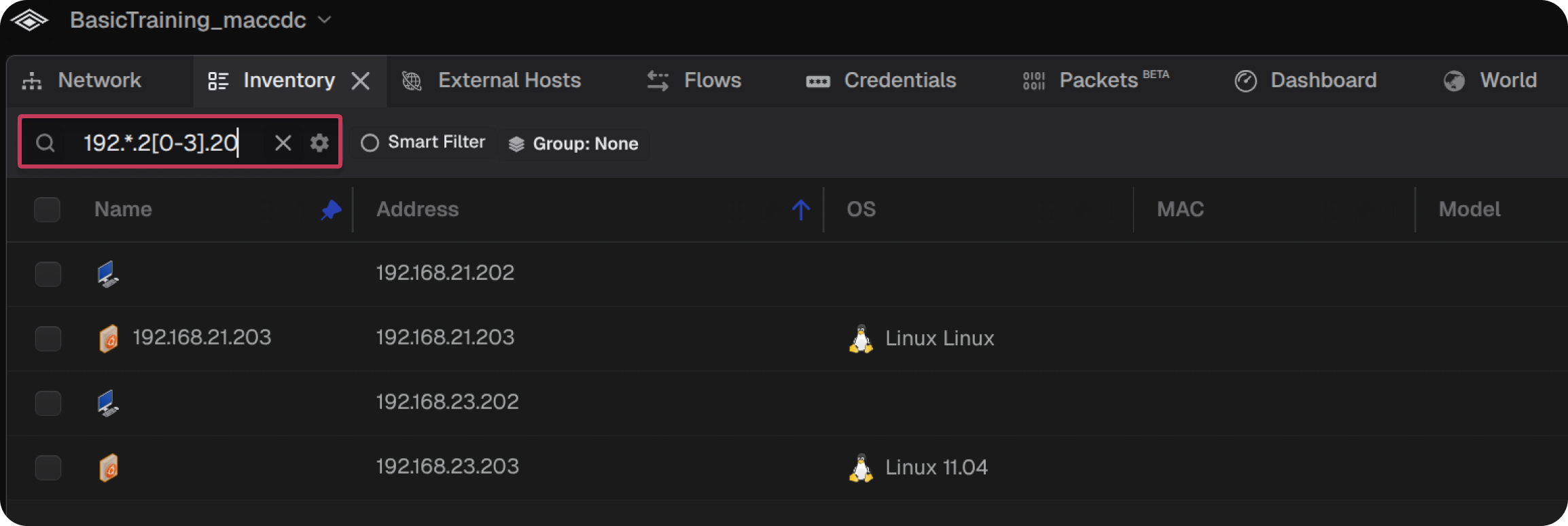
The search field in the Network, Inventory, and External Hosts tabs can be used to find specific hosts. Matching hosts are highlighted in the Network topology and displayed in the search dropdown while non-matching hosts fade out. The search field supports regular expressions.

Selecting an item from the search dropdown will select it in the topology or corresponding tab.

  1. Select the target tab
  2. Select the search text field
  3. Enter the target search value

The following table shows sample search criteria and expected results:

SEARCH CRITERIA DESCRIPTION
192.168.27.103 Search for a host with IP address 192.168.27.103
192.168 Search for any host with IP address containing 192.168
9D:F2:C2 Search for any host with MAC address containing 9D:F2:C2
vulnerability Search for any host with "vulnerability" in any searchable field, including tags, notes, and roles
linux Search for any host running the Linux OS
Hacking Target Search for any host with tag or notes containing "Hacking Target"
google.com Search for any host with tag/domain google.com
Hewlett Packard Search for any host with a manufacturer of "Hewlett Packard"
192.*.22[0-3].20 Search for any IP addresses starting with 192 and ending in the range 220-223.20
Note: Selecting a search result will automatically filter the smart filter enabled tabs by that selection. To deselect a result click Clear All in the Inspector panel.

TABLE OF CONTENTS