
What is MRT-C?
Mission Relevant Terrain in Cyberspace (MRT-C) identifies critical network assets that, if disrupted, could significantly impact a mission. These assets may include systems, applications, or devices essential for network functionality and mission success.
By focusing on MRT-C, decision-makers can prioritize the protection of assets that are vital to operations.
How Teleseer identifies MRT-C
Teleseer provides two analytics to identify MRT-C assets:
Ranked Centrality Analysis
Focuses on network behavior to measure how connected or influential a system is. Assets are prioritized based on the following scores:
- Connection Score - Measures how many direct links a system has.
- Bridge Score - Identifies chokepoints that control information flow.
- Proximity Score - Highlights systems that can quickly reach other assets.
- Influence Score - Identifies systems with the most impact on the network.
Constructed Centrality Analysis
Optimized for large networks where speed is critical. Uses predefined roles (e.g., routers, DNS servers) and activity levels to prioritize assets.
Note: MRT-C algorithms are enabled and configured by Cyberspatial engineers. Contact Teleseer Support at support@cyberspatial.com for more information.
What do the scores mean?
Each asset is scored to show how critical it is:
- High Scores - Systems essential for network functionality, such as routers or DNS servers. These should be monitored and secured first.
- Low Scores - Systems with minimal impact on the mission. These may not require immediate attention.
Example interpretation:
- An unusually high Connection Score may indicate a misconfigured device or a target for malicious activity.
- A high Bridge Score indicates a chokepoint that could disrupt mission-critical communication if compromised.
Viewing MRT-C in Teleseer
Asset Detail
- Select a device in Teleseer to view its details
- If MRT-C scores were calculated for the asset, the Inspector panel displays the total MRT-C score and its component scores in the Notes section, including which algorithm was used (Ranked or Constructed Centrality)
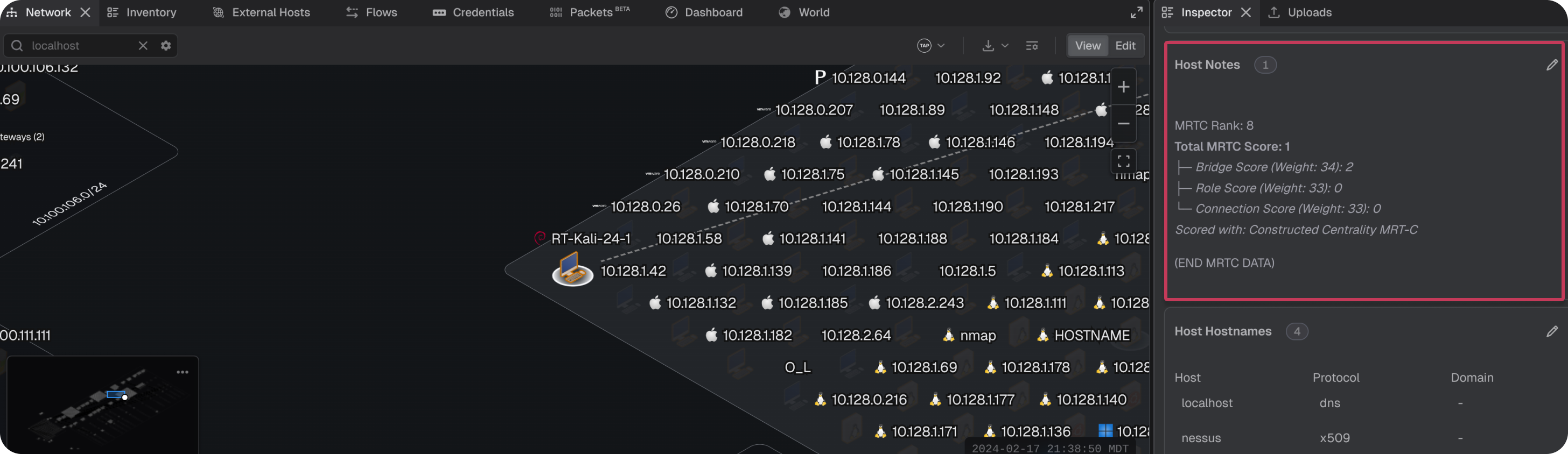
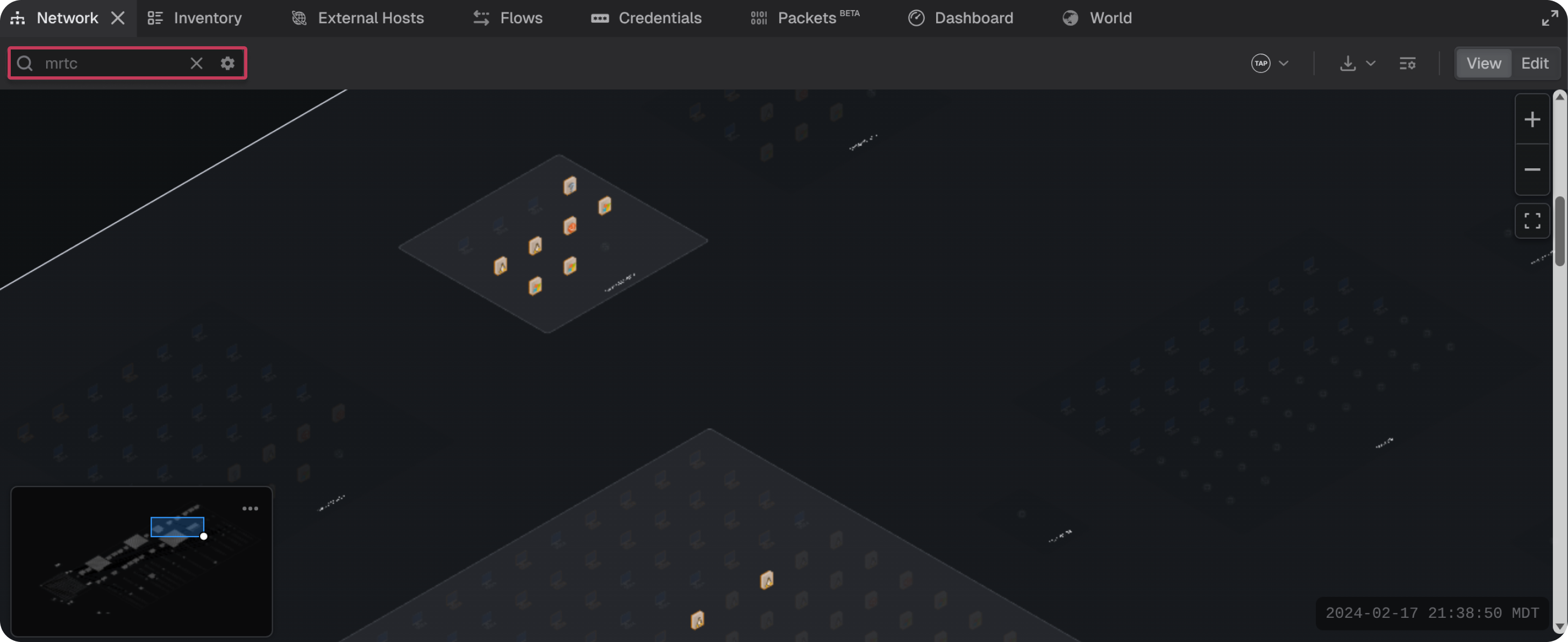
- Use the search filter in the Network panel to search for assets with MRT-C scores
Inventory Panel
- Select the Inventory panel
- Ensure the Notes column is enabled for display
- Enter `
MRTC` in the search filter - Sort the Notes column alphabetically
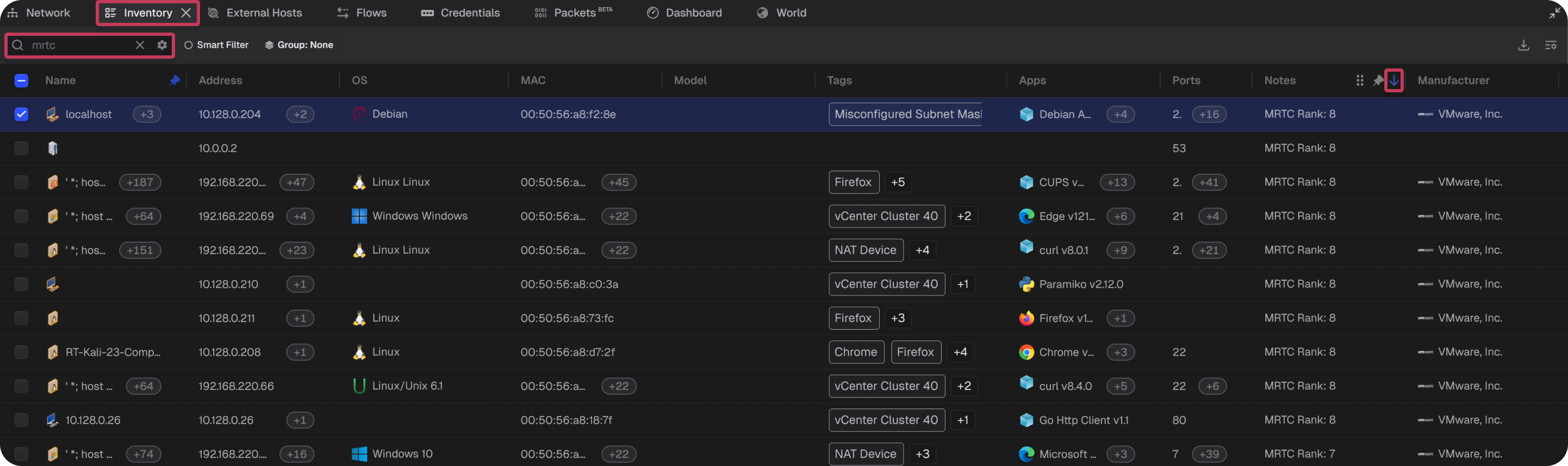
This provides a prioritized list of assets sorted by overall MRT-C score.
Adjusting MRT-C scores
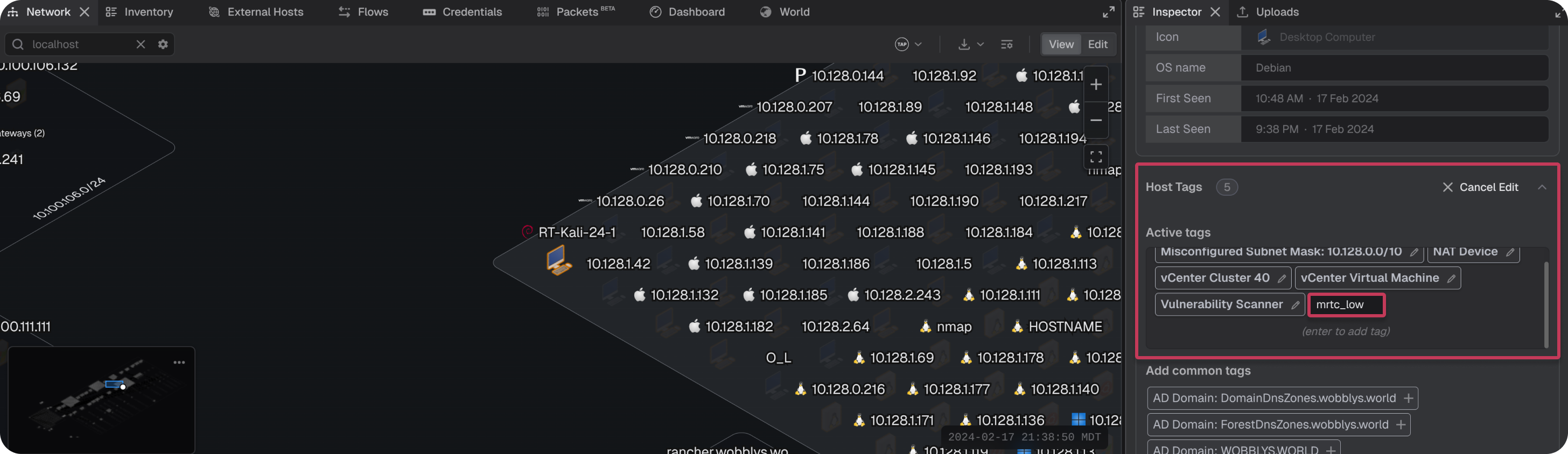
Asset scores can be adjusted by adding a tag that signals the algorithm to assign higher or lower importance to an asset.
- Select the target asset
- In the Inspector panel, scroll to the Tags section
- Add a tag using the format
mrtc_<user classification>, where<user classification>is one of the following:lowmediumhighcritical
- Press
Enterto save the tag
Note: MRT-C score adjustments take effect on the next project topology build.
Additional information
MRT-C is disabled by default and the MRT-C technical algorithm document Teleseer's MRT-C Algorithm (August 2025) is available upon request. Contact support@cyberspatial.com to enable the feature or request the document.
