
The Credentials table displays all plaintext usernames and passwords detected by the deep packet inspection engine.
Columns
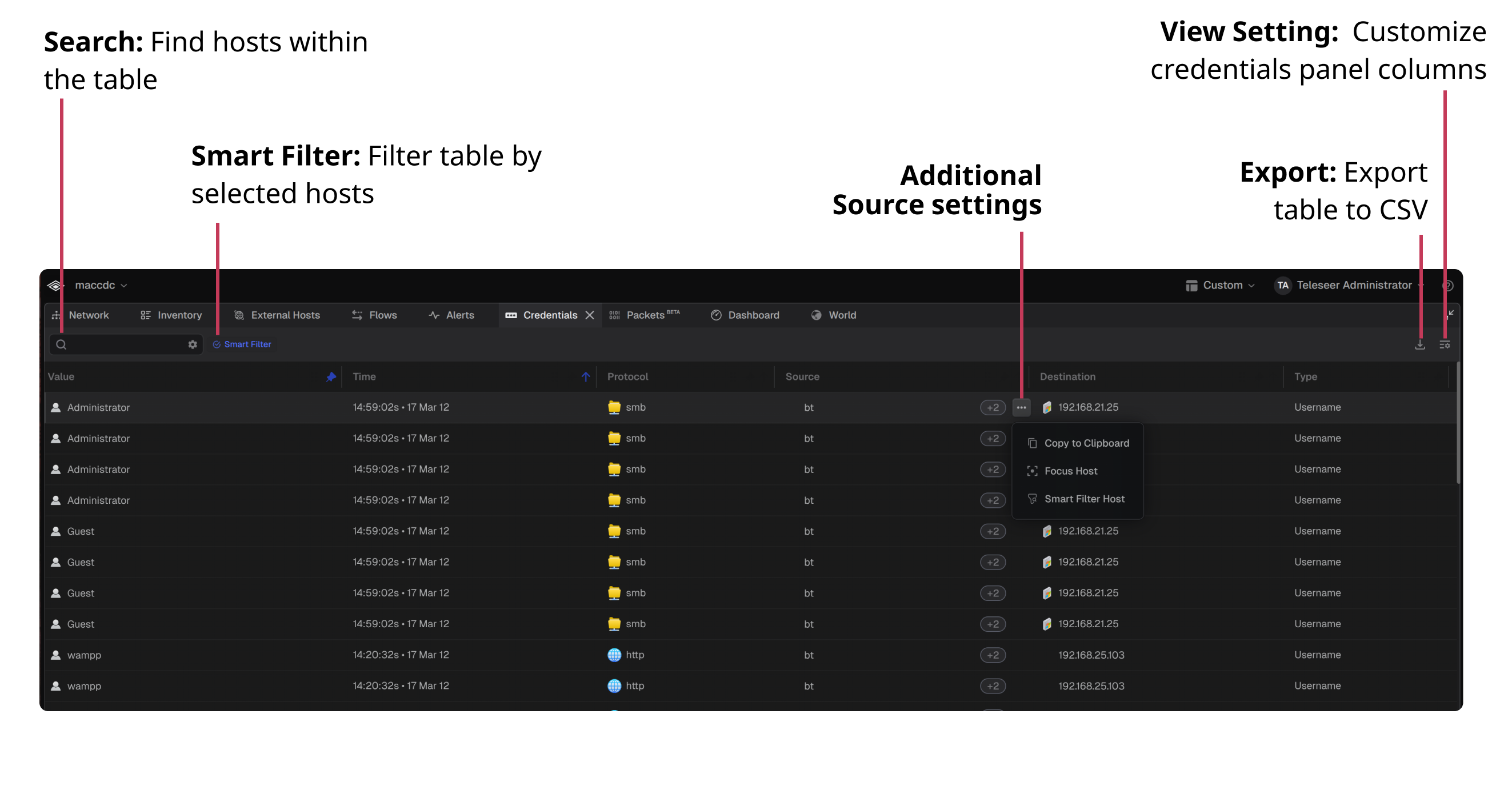
The Credentials table contains the following columns:
Search
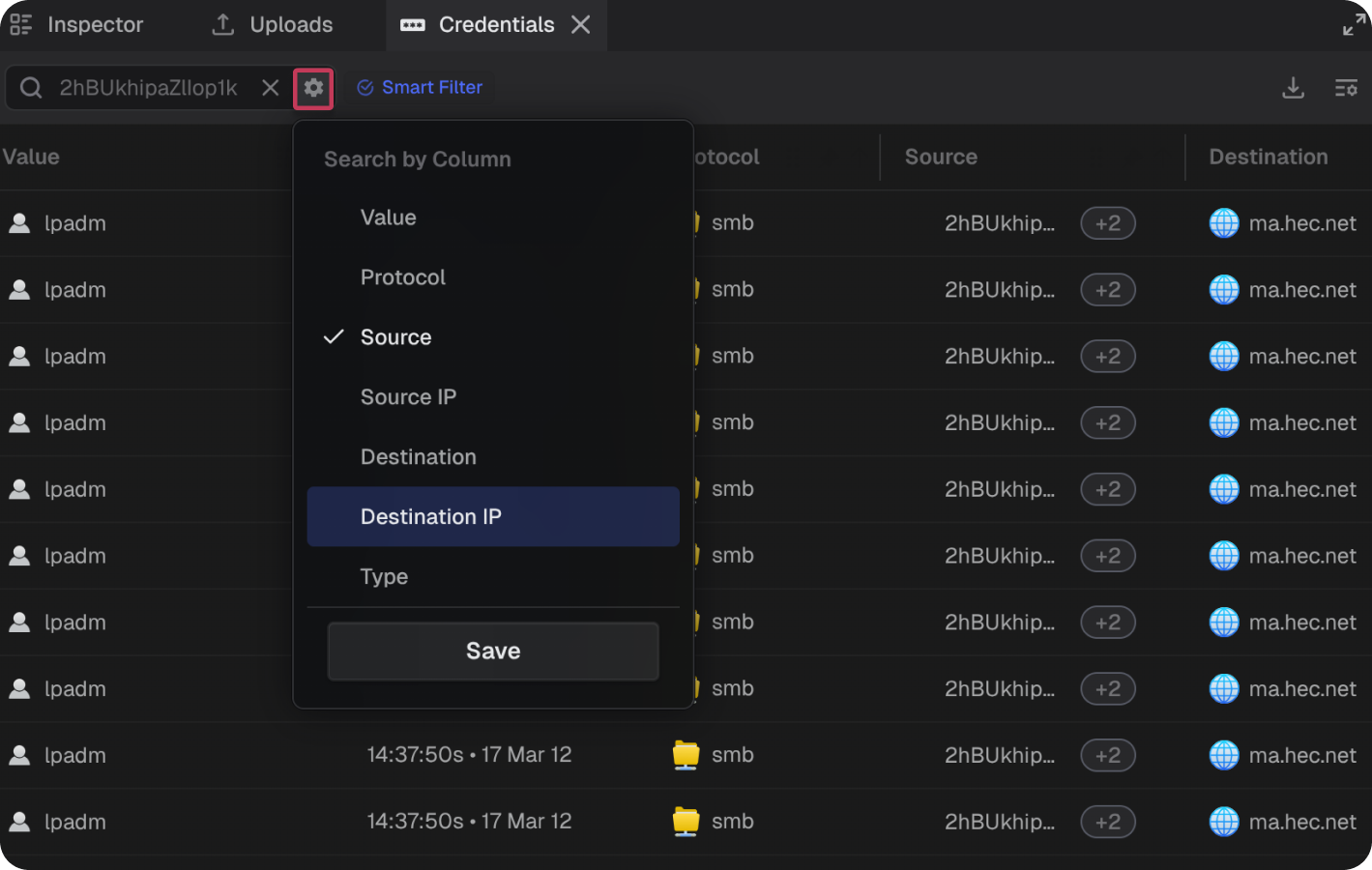
Each column within the table can be searched. Enter a value in the search field and optionally select a column to search via the gear icon.
Smart Filter
When Smart Filter is selected, the table filters to display only results relevant to the selected host(s)
Export
The entire table can be exported by clicking the download button on the top right of the panel > Export Credentials List (CSV).
Note: The exported CSV is saved with the naming convention Teleseer Export - <Project Name> - Credentials.View Settings
The visible columns can be customized by clicking the View Settings button on the top right of the panel.
Network Topology View
- Hovering over a credential reveals the source and destination devices in the Network topology.
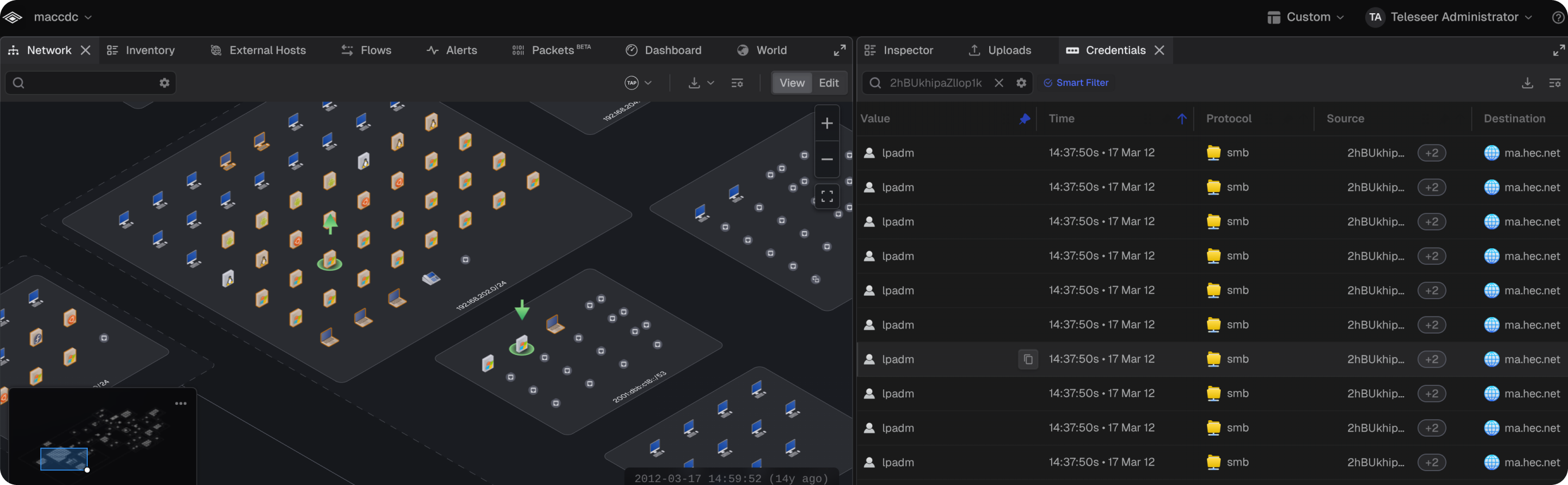
- Selecting a credential row adjusts the Network view to encompass the source and destination devices.
- Selecting an individual host via the source settings
...→Focus Hostzooms the topology to the selected host
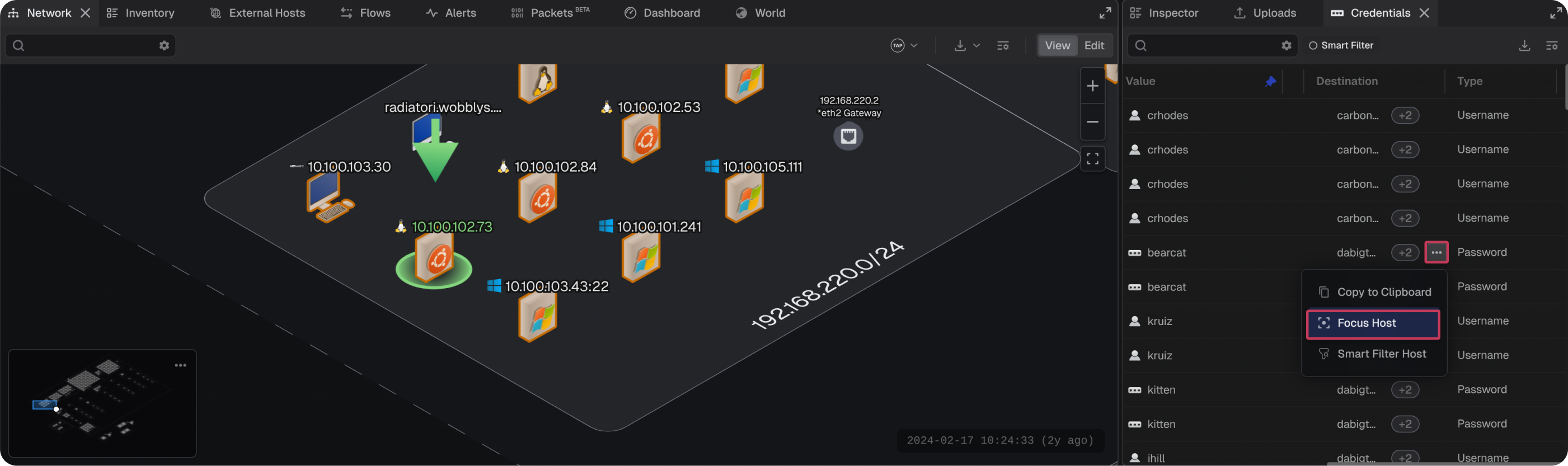
Note: The Credentials table and Network topology can be viewed side by side by dragging the Credentials tab to a new position. See How to Create a Custom View for more details.
