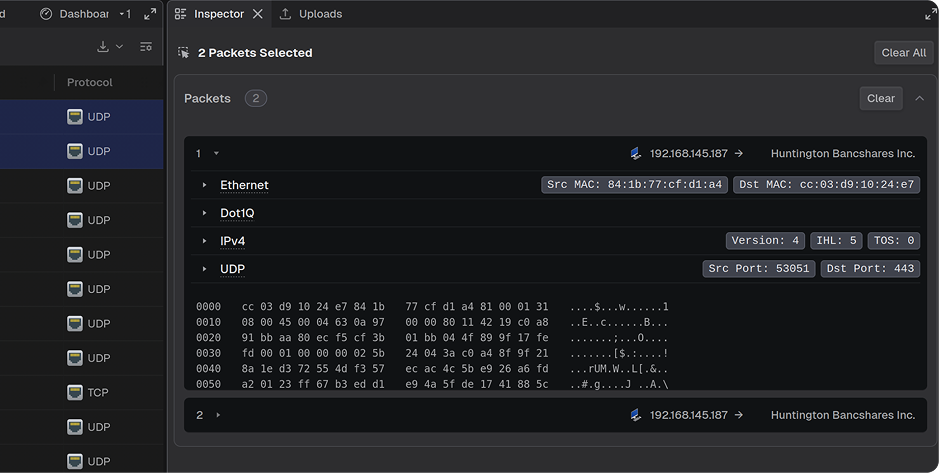
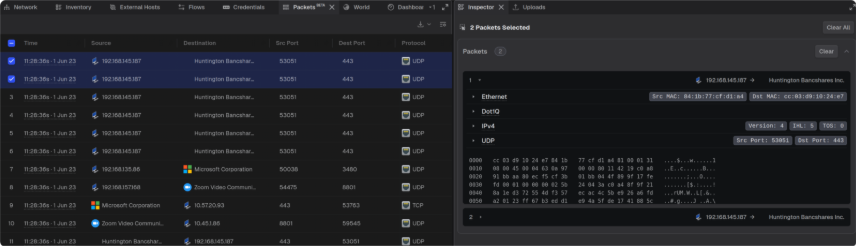
Packet Carving by ID - Individual packets can now be selected directly from the Packets panel and exported as PCAP or CSV, making it easier to isolate and share specific packets of interest.
Inspector Visuals for Nested Protocols - The Inspector panel now displays expandable tree views for protocols with nested fields, making it easier to explore detailed packet structures for protocols.
FIXES
Project Error Status - The project list now displays an error state for projects in an error status, providing clearer visibility into project health.
Timeline Stability - Timeline swim lanes no longer disappear after extended idle periods, or when resizing the browser, eliminating the need to refresh the page to restore them.
Focus Host - Selecting Focus Host from the Flows, Credentials, or Packets panel now correctly highlights and selects the host in the Network topology, in addition to navigating to it.
CVE Tooltip Scrolling - The CVE details tooltip in the Inspector panel now remains visible while scrolling.
Projects Table Resizing - Resizing columns in the Projects table no longer causes layout issues such as misaligned headers, overflowing row text, blank space at column ends, or a missing horizontal scroll bar. Additionally, table columns can now be resized to a narrower width, allowing for more flexible table layouts.
Files Panel Row Actions - Hovering over a row in the Files panel now displays row action icons, matching the behavior of the Projects panel.
Dashboard Overflow - Dashboard content now stays within the panel boundaries when the layout is narrowed.
Subnet Connection Visualization- The Subnet Connection Volumes by Protocol chart on the Dashboard now retains its contents when switching between Teleseer tabs sharing the same panel.
Network Topology Scroll Bar - The Network topology no longer displays duplicate horizontal scroll bars when resizing the browser window.
Alert Editing Permissions - Manage Alerts now hides the Edit button for non-admin users, providing a cleaner view that reflects each user's available actions.
OPTIMIZATIONS & ENHANCEMENTS
Timeline Dropdown Counts - Alerts, Protocols, and Events dropdown rows now consistently show a count of the items they contain.
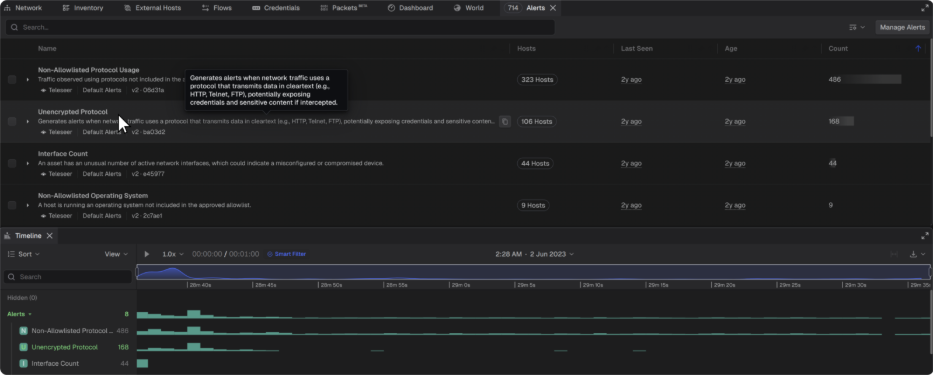
Timeline Cross-Panel Alert Highlighting - Hovering over an alert in the Alerts panel now highlights the associated traffic in the Timeline and visually pinpoints where in time it was discovered.
Demo Projects Access - The Demo Projects sidebar button now displays consistently for all SaaS users.
Alerts Panel Polish - Refined the Alerts panel with several display improvements: the pagination dropdown now layers correctly above other elements, alert cards expand to fill the available vertical space, and the loading indicator has a cleaner look.