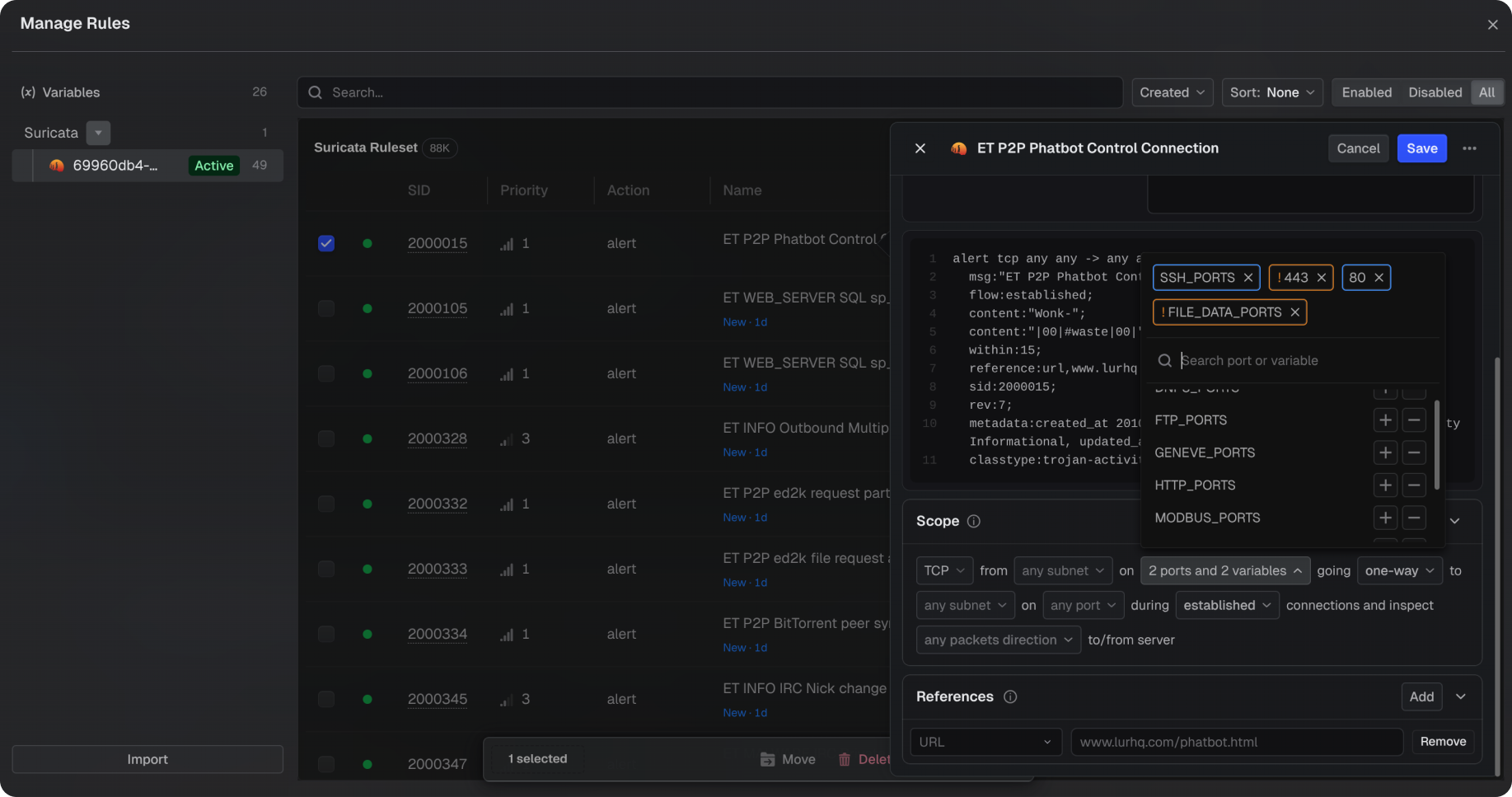
Suricata Integration - Teleseer now integrates Suricata, an industry-standard network intrusion detection system, directly into its processing pipeline. Each processed packet is evaluated against active rule sets, surfacing matching events in the project.
Importing Rule Sets - Curated rule sets, such as Emerging Threats Open and Emerging Threats Pro, can be imported through the UI, including compressed files.
Activating Rule Sets - Imported rule sets must be activated before they evaluate traffic, giving control over which rules are in effect
Viewing and Managing Rules - Rules and their metadata—including description, SID, name, version, and priority—can be viewed and managed in the UI.
Rule Filter Controls - Source and destination ports and subnets use a combobox menu for fast and clear editing. Click any field to see a dropdown of values already present in the project and select entries to add them. Selections appear as chips: blue chips are included values, and orange chips are excluded.
Classification Banner - Admins can now display a classification banner across the workspace for compliance marking. The banner is configured in Workspace Settings, with control over text, color, font, and placement. Once enabled, every member sees it on their next refresh.
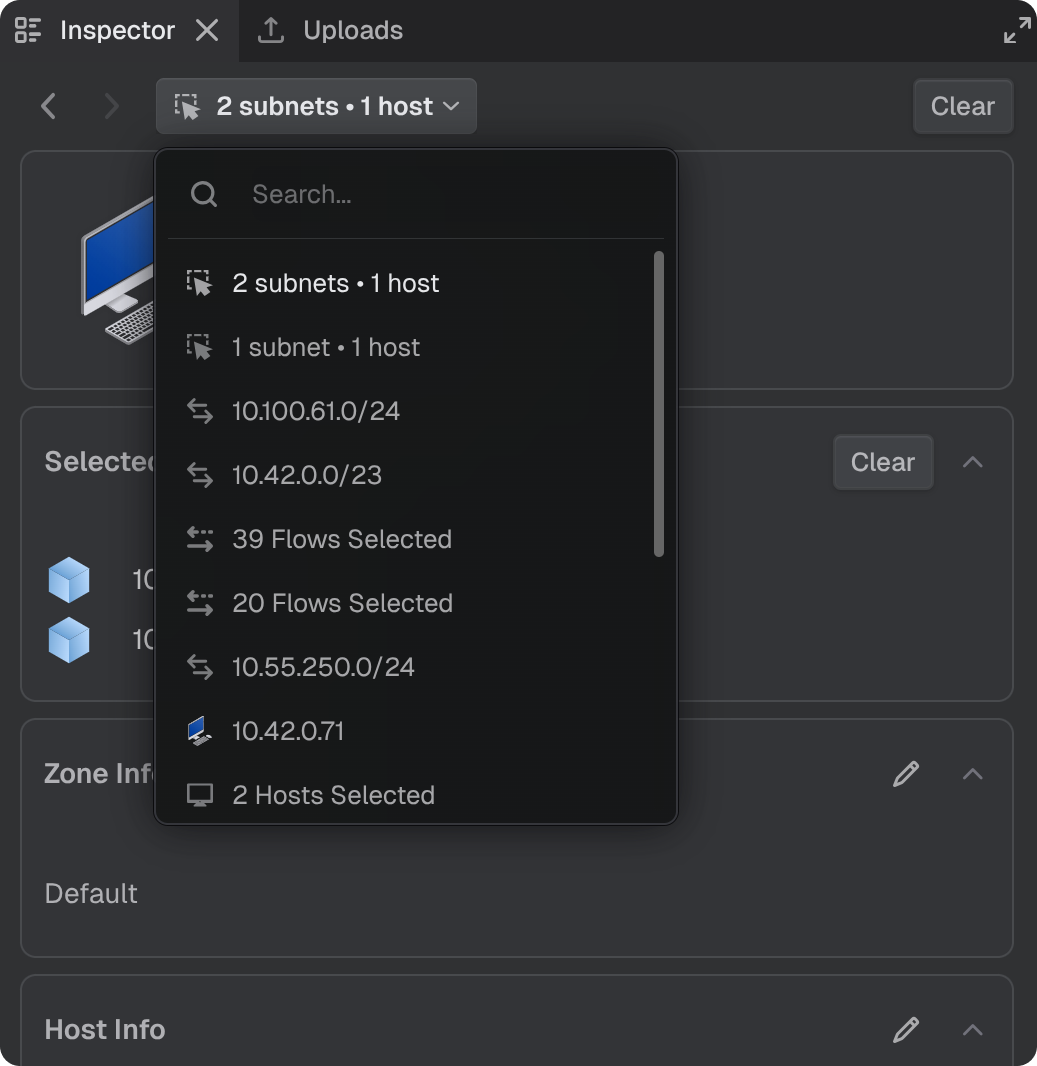
Inspector Selection History - The Inspector panel now keeps a history of selections, making it easy to retrace steps during an investigation. Use the back and forward arrows to move through previously selected items or click the selection name to open a searchable list of recent selections. Each entry can be copied as a deep link to share or revisit.
Note: Suricata support is available for on-premises deployments only and is being introduced in stages. This feature is disabled by default and is being staged for acceptance testing, with rollout managed closely over the coming months to ensure proper integration. For access or more information, contact support@cyberspatial.com.
FIXES
Tags Input on New Upload – In a new upload, pressing Enter in the Tags field commits the tag instead of submitting the form. The dialog stays open so upload settings can be reviewed before submission.
OPTIMIZATIONS & ENHANCEMENTS
Topology Zone Outlines - Outer and Broadcast zones in the Network topology now render with solid outlines for clearer visual distinction, with consistent thickness across 2D and 3D views.
Timeline Selection Snapping - Time range selections on the Timeline snap to align with the current zoom level, making it easier to select traffic cleanly across events, protocols, and alerts.
Gateway Path Highlighting - Hovering over a router in the Inspector's Gateways table highlights its path to the connected subnet in the Network topology, and the highlighted path now stays visible while the router remains selected.