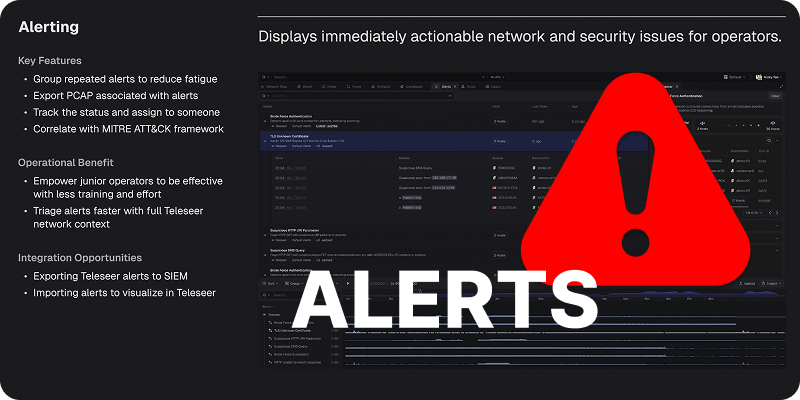
Teleseer has always set the bar for deep packet inspection and protocol coverage at line rate. Now, with the introduction of Alerts in Teleseer v1.0.14, network operators have an even sharper tool for uncovering malicious behavior — fast.
How Alerts Work
Alerts are configured through a simple management panel where operators can enable, prioritize, and tune each alert type. A quota setting controls how much traffic is analyzed per alert, preventing noise while keeping analysis focused. Version history is built in, so every change to an alert's parameters is tracked and reversible.
Once configured, alerts automatically trigger on the next project rebuild — meaning in live environments, new detections kick in as soon as fresh traffic arrives.
Key Alert Types
- Blocklisted & Non-Allow Listed Application Usage - These two complementary alert types give operators precise control over what software is acceptable on the network. Blocklists flag specific applications (e.g., OpenSSH, Internet Explorer), while allow lists flip the logic — anything outside the approved list triggers an alert. Applications like Google Bot or Android Browser appearing unexpectedly become immediately visible.
- Beaconing Behavior - Using a configurable threshold, this alert surfaces hosts making suspiciously regular outbound connections. In testing, it exposed an Apache Killer denial-of-service attack and automated reconnaissance activity hitting a target every three seconds — threats that could easily go unnoticed without pattern-based detection.
- High Port Usage - Flags hosts communicating across an unusually large number of distinct ports — a telltale sign of port scanning. This caught scanning activity that Teleseer's automatic tagging had not initially labeled as a vulnerability scanner.
- Remote Access Protocol Activity - Identifies hosts using remote access protocols, useful for policy enforcement. A quota warning flag signals when alert volume is high enough to warrant further tuning.
- Suspicious File Transfers - Alerts on files with suspicious extensions like
.exe or .msi. In one example, a file named phonehome_script.exe surfaced immediately — a clear indicator of a host needing investigation. - Highest Data Sending Host - A threshold-based alert that flags any host exceeding a set data volume. This led directly to the discovery of an SMB brute-force attack in progress.
The Bottom Line
Teleseer Alerts turns packet data into actionable intelligence. Malicious actors threatening your network will find it harder than ever to stay hidden.
The full feature capability is available in our documentation at - Alerts.
You can also watch an example of the Teleseer Alerts functionality in action.