
Wireshark is one of the most widely used network analysis tools on the planet, and for good reason: it’s free, open source, and incredibly powerful for inspecting individual packets. Most network engineers have used it at some point, and it remains a staple of university curricula and certification programs worldwide.
But here’s the uncomfortable truth that enterprise IT and OT teams already know: Wireshark was never designed to operate at the scale modern networks demand. When your job is to monitor and defend networks spanning thousands of hosts, dozens of VLANs, and terabytes of traffic, Wireshark becomes a bottleneck, not a solution. If you’ve been searching for a Wireshark alternative that can handle enterprise scale PCAP analysis, you’re not alone.
Wireshark’s power comes at a cost: complexity. Effective use requires deep knowledge of protocol structures, display filters, capture filter syntax, and the ability to manually interpret packet level data. For a seasoned analyst, this is second nature. For the other 90% of your operations team, it’s a wall. Training operators to be proficient in Wireshark takes weeks to months of dedicated effort, and most enterprise teams simply don’t have that runway.
The Wireshark file size limit is one of its most discussed constraints. Open a 500MB PCAP in Wireshark, and you’ll wait. Open a 5GB capture, and you’ll likely crash. Enterprise networks generate terabytes of packet data daily. Wireshark was designed to inspect individual captures on a single workstation, not to process the volume of data that real world network operations produce. Analysts end up splitting large PCAP files with tools like editcap and SplitCap before they can even begin analysis, adding friction to an already time critical process.
Wireshark is a desktop application that runs on local compute resources. Every filter, every search, every protocol decode taxes the analyst’s workstation. At enterprise scale, this means long load times, frozen interfaces, and a constant tradeoff between analytical depth and system performance. There is no server side processing, no distributed architecture, and no way to throw more compute at the problem.
Perhaps the most significant limitation is what Wireshark doesn’t do. It won’t generate network topology maps. It can’t perform passive network discovery or automated asset discovery. It won’t score vulnerabilities or detect beaconing behavior, and it won’t show you which hosts are talking to foreign IP addresses or running unauthorized services. Wireshark shows you packets. The leap from packets to operational intelligence is left entirely to the analyst.
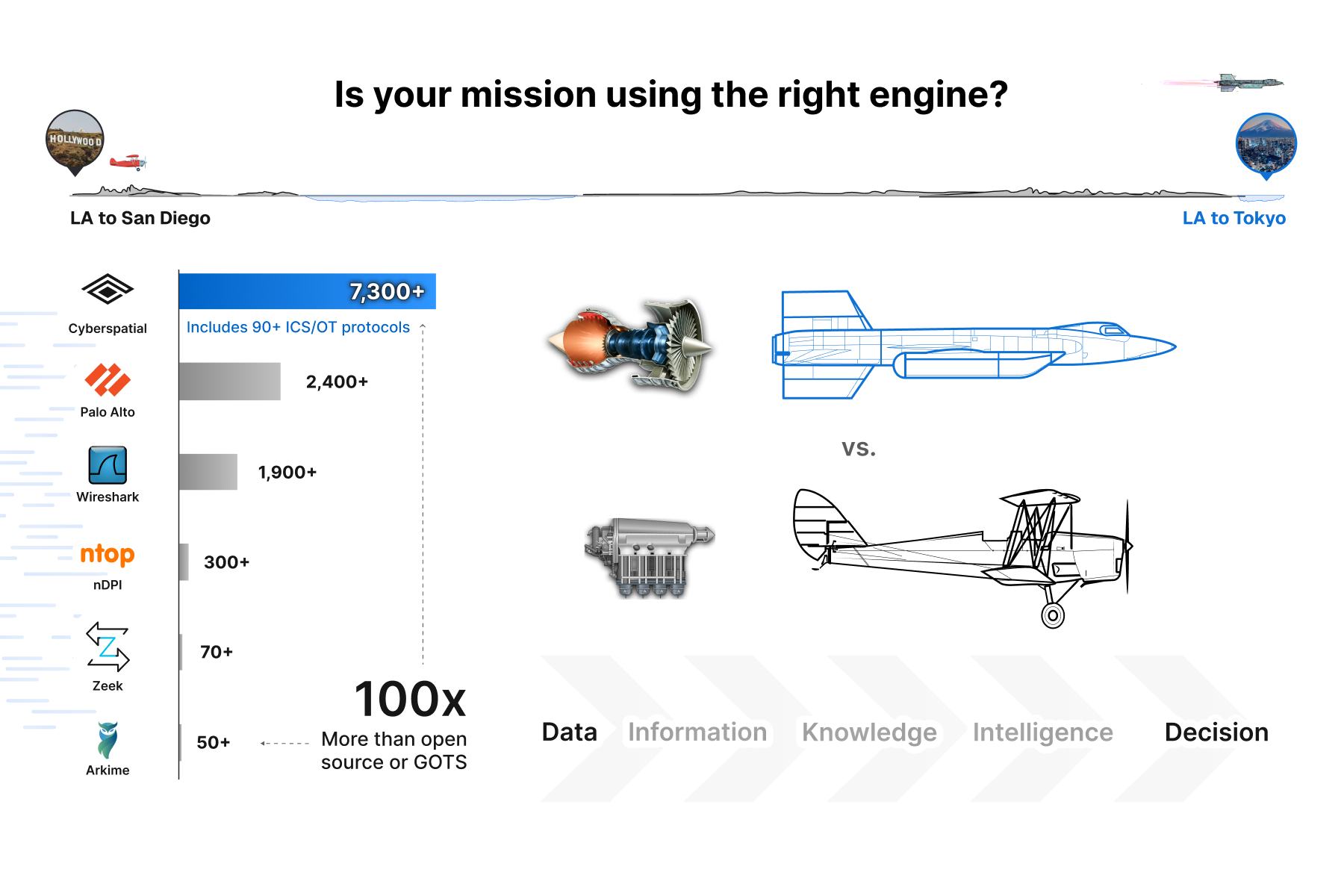
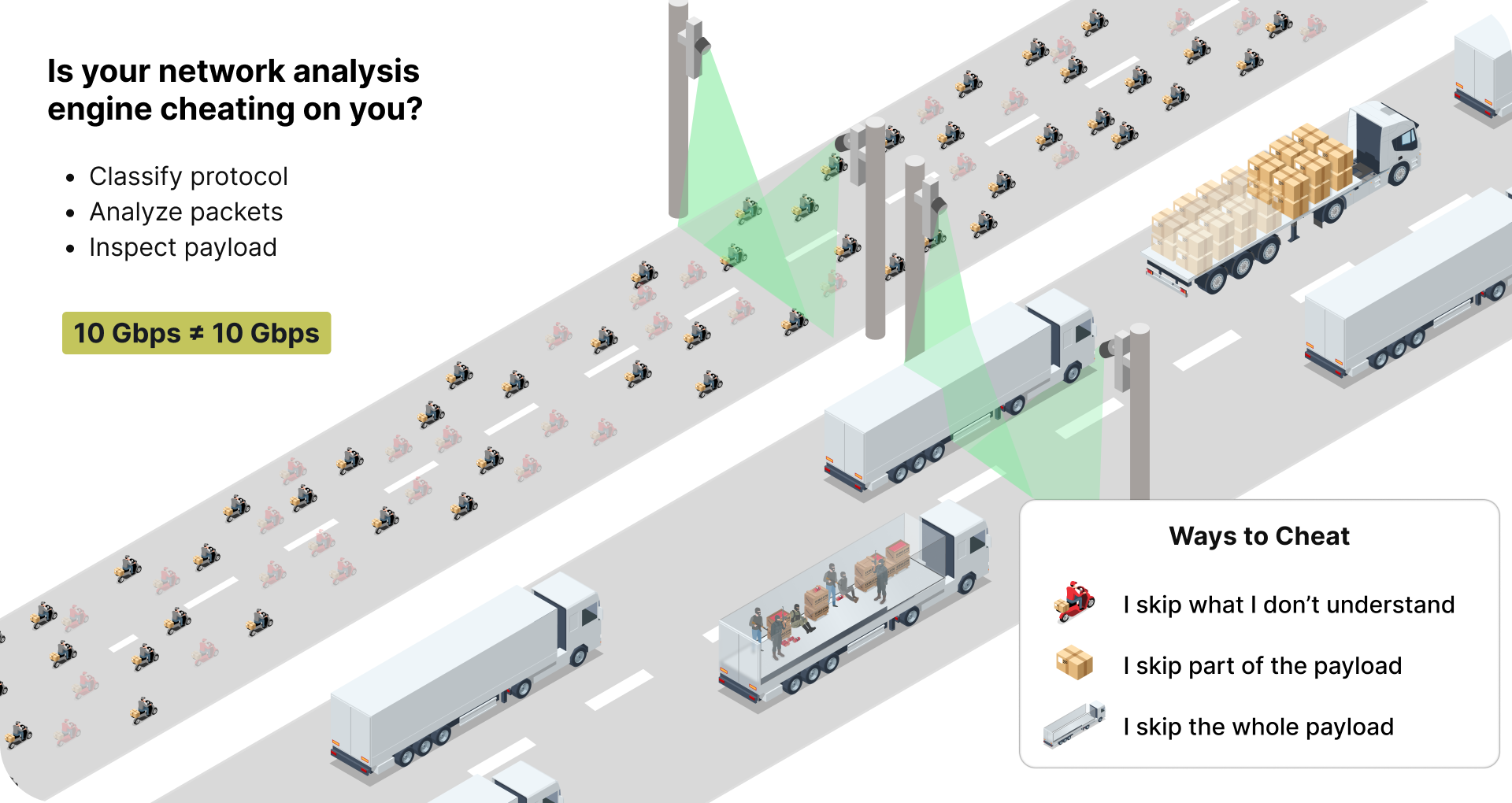
Even when Wireshark can open a file, its protocol recognition covers roughly 1,900 protocols. That sounds like a lot until you consider that modern enterprise and OT networks routinely carry traffic across thousands of protocol variants. Many competing packet analysis and deep packet inspection engines compound the problem by skipping payloads they don’t recognize, silently dropping the very traffic that matters most during an investigation. If your analysis engine isn’t inspecting every byte at line rate, it’s not giving you the full picture.

| Capability | Wireshark | Teleseer |
|---|---|---|
| Protocol Recognition | ~1,900 | 7,390+ (incl. 90+ ICS/OT) |
| Max PCAP Size (practical) | ~500MB–1GB | 100GB–500GB+ |
| Network Topology Mapping | None | Automated 2D/3D maps |
| Passive Asset Discovery | None | Continuous, agentless |
| Vulnerability Scoring | None | Built in CVE correlation |
| Alerting & Detection | None (manual only) | 20+ alert types + Suricata |
| Credential Discovery | Manual extraction | Automated detection |
| Deep Packet Inspection | Per packet, local only | Full payload, line rate |
| Collaboration | Single user | Multiuser, shared projects |
| Deployment | Desktop install | Browser based SaaS or on prem |
| Operator Skill Required | Expert | Any skill level |
| OT / ICS Protocol Support | Limited | 90+ dedicated OT/ICS/DT protocols |
| MRTC Scoring | None | Ranked & constructed centrality |
Wireshark is free to download. But the total cost of operating it at scale is anything but free. Consider the hidden costs: the senior analyst hours spent manually reconstructing network topologies on whiteboards. The training pipeline required to get junior staff productive. The missed detections because no one had time to scroll through millions of packets looking for anomalies. The incident response delays because relevant traffic had to be carved out of massive captures before anyone could begin analysis.
These aren’t hypotheticals. They’re the daily reality of every enterprise network operations center that relies on Wireshark as its primary PCAP analysis tool.
Teleseer was purpose built to solve the problems that Wireshark can’t. It’s an enterprise PCAP analysis tool and network visibility platform that transforms raw packet data into operational intelligence, automatically. Trusted by US Cyber Command, US Space Force, and DuPont, Teleseer delivers the situational awareness that manual packet analysis simply cannot.
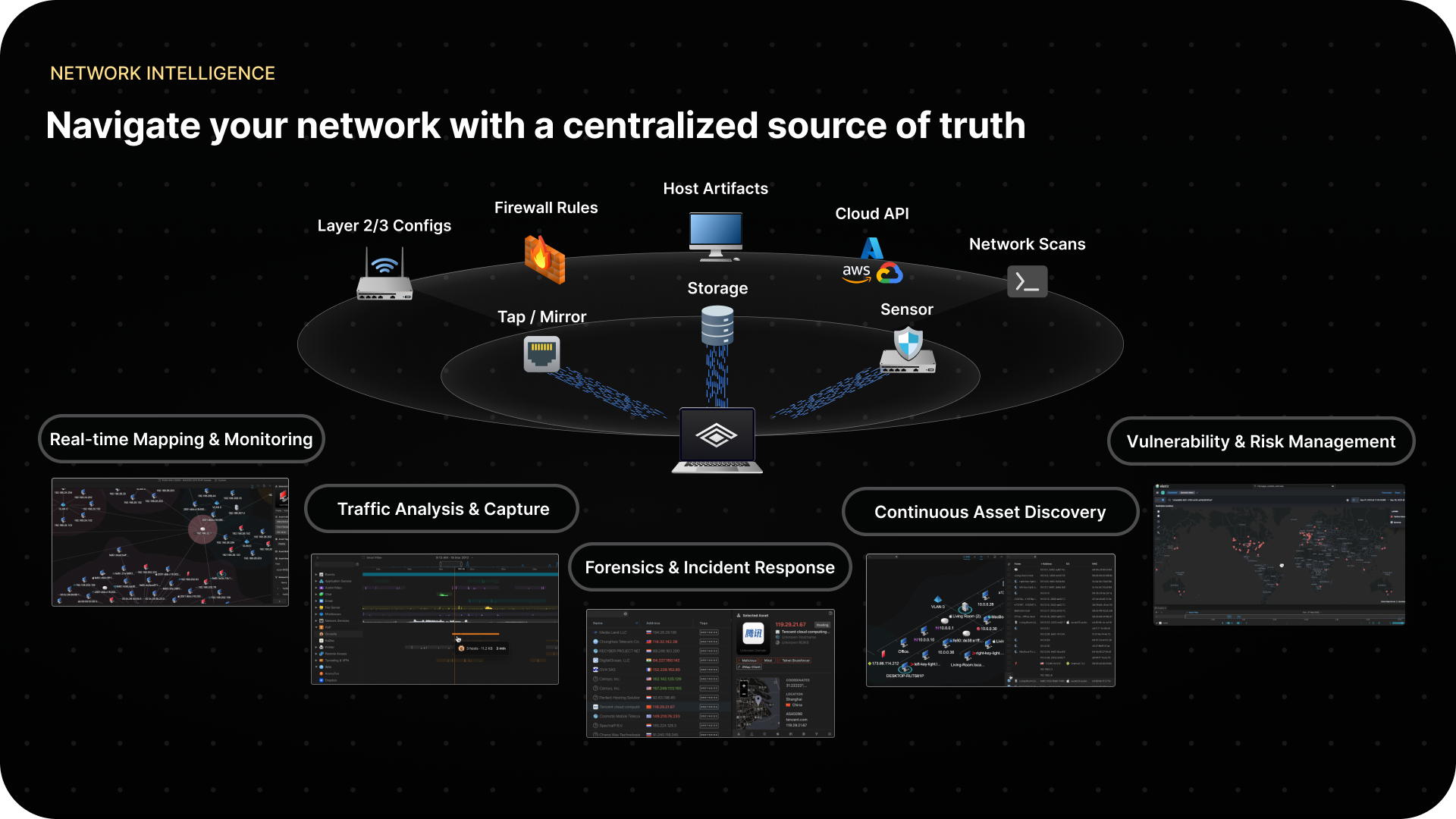
Drop in a capture file and within minutes, Teleseer delivers:
All of this happens in a browser, without a desktop install or local resource constraints. With the Enterprise plan, Teleseer supports live streaming at 1–100 Gbps through dedicated sensor appliances, on premise deployment, and multisensor federation across distributed sites.
With 7,390+ recognized protocols, Teleseer delivers nearly four times the protocol coverage of Wireshark and three times that of Palo Alto. For OT and ICS environments, this gap is even more critical. Teleseer recognizes 90+ dedicated OT, ICS, and defense technology protocols, more than any dedicated OT security platform, while also providing the network topology mapping and asset discovery those tools lack.
Where Wireshark gives you a Game Boy view of your packets, Teleseer gives you 6K HDR situational awareness across your entire network. All bytes inspected, all protocols classified, nothing skipped.

The most impactful difference between Wireshark and Teleseer isn’t a feature list. It’s who can use it. Wireshark requires expertise to extract value. Teleseer is designed so that a junior operator can upload a PCAP and immediately see the network: the hosts, the connections, the risks, the anomalies. No filters to memorize, no protocol trees to decode, no whiteboards required. The passive network discovery and automated analysis mean your team spends time acting on intelligence instead of reconstructing it.
Nobody is arguing that Wireshark should disappear from your toolkit. For targeted packet inspection and protocol debugging, it remains excellent. But if you’re still relying on it as your primary network visibility and analysis platform, you’re leaving massive gaps in your operational awareness—gaps that translate directly into security risk and operational overhead.
It’s time to stop spending hours manually drawing network topologies on whiteboards and start seeing your network in minutes.

Ready to see the difference?
Try Teleseer free with a Community account, or request a demo to see enterprise scale network visibility in action.
Start Free | Request a Demo | sales@cyberspatial.com
Wireshark has no hard file size limit, but practically struggles with PCAPs above 500MB–1GB due to memory constraints. Teleseer handles captures of 100GB–500GB+.
Teleseer is a PCAP analysis platform that adds automated network topology mapping, passive asset discovery, vulnerability scoring, and 7,390+ protocol recognition to enterprise network analysis.
No. Wireshark is a packet analyzer that displays individual packets but does not generate network maps or discover assets. Teleseer automatically creates interactive 2D/3D topology maps from PCAP data.

